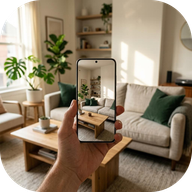
Opening your space.
Connecting to NeedLens account services…
A LITTLE HELP AROUND HOME
See what your
home needs.
One photo. A few thoughtful next steps.
Less to remember, more room to live.
Review every suggestion before saving it. Actions and Shopping sync with your NeedLens account. Offline changes wait on this device until they can sync.
Welcome home.
Sign in to access your scan allowance.
By continuing, you agree to the Terms of Use and acknowledge the Privacy Policy.
Opening your lists…
Check your inbox.
Verify your email before your first live scan. Open the verification link, then check again here.
A FRESH PERSPECTIVE
Start with a room.
Capture one clear view. You’ll review your photo before anything is uploaded.
Checking your allowance…
JPEG, PNG or WebP, up to 20 MB. Your browser prepares a smaller JPEG before you choose to send it.
Looking around…
Turning visible details into thoughtful next steps. This can take a little while.
Keep this page open. A scan is counted only after the service confirms success.
YOUR ROOM NOTES
Small things. Real difference.
Suggestions to review, not confirmed problems. You decide what belongs on your list.
All reviewed. Find the suggestions you kept in Actions and Shopping.
AI can miss or misread visible details. Check suggestions yourself. NeedLens is not a home inspection or a safety assessment.
ONE SMALL THING AT A TIME
Room to reset.
Your reviewed suggestions, ready when you are.
A LITTLE MORE PREPARED
A little restock.
Only the items you chose to add. Check what you already have before buying.
YOUR NEEDLENS ACCOUNT
Your space. Your say.
Checking your allowance…
One account. Your choice.
Scan allowance is shared with Android for the same NeedLens account. NeedLens Plus is being prepared for Android and Google Play; this browser app does not sell subscriptions. If you already have an active NeedLens Plus subscription, its access is shared with this account. Manage an existing Google Play subscription in Google Play.
Manage Google Play subscription (opens a new tab)Your lists, across devices.
Sign in to the same NeedLens account to use your synced Actions and Shopping on another device. Waiting changes stay on this device until sync completes. Android sync is being tested in the new local build and is not yet available in the Google Play version. Clearing this browser’s cache or signing out keeps your synced account lists.
Delete your account.
Permanently remove your NeedLens account and app data. Google Play subscriptions must be canceled separately.